


ALL >> Computers >> View Article
Use External Hard Drive On Mac And Windows Simultaneously



Can I use one external hard drive for two different operating systems, and the OS's Windows 7 and Mac, or Windows XP and Mac? Well, there are a couple of ways to accomplish this. Here I will introduce two circumstances: sharing external hard drive for two computers on two different operating systems, share hard drive on two different operating systems on one computer.
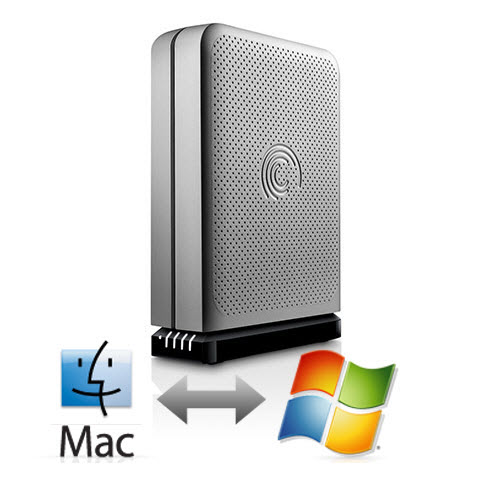
How to share hard drive for two computers on Mac and Windows
Have you ever encountered such problem as me: I bought one external hard drive, and connect it to my sister’s macbook pro, the hard drive can be recognized, but it cannot be written anything after opened it. Then I go to the shop where I bought this drive, the repairman formatted the hard drive under Windows OS, it can be written and read on Mac OS computer, but after I go home, i connect the hard drive to my Windows computer, the drive cannot be recognized. What should I do? Well, I search from the internet, and found one solution.
...
...
First, connect the external hard drive to Mac OS computer, backup the important data, then go to Disk Utility, click the erase the disk, then format the hard drive as ExFAX, waiting for the format processing.
Second, prepare the hard drive program (different hard drives have different programs, please prepare according to the model of your hard drive), and Windows updating program (WindowsXP-KB955704-x86-CHS.exe). Then connect the hard drive to Windows OS computer, a window pop up to prompt find new hardware, then find hard drive program to install. If there is no drive under the Windows at this time or the hard drive cannot be recognized, please install the Windows updating program that I mentioned above. Then you will see the content of your hard drive, and the hard drive can be written and read. Now you can transfer movies, songs, photos, documents, etc. between different systems such as Windows 7 and Mac or Windows XP and Mac.
Share hard drive on different systems on one computer
Is there universal partition format can be used on Mac and windows simultaneously? I have an external hard drive, and I have installed Mac OS on my Windows 7 computer, and want to use hard drive on these two operating systems, but I find the NTFS format files under Windows OS cannot be read or written on Mac OS, the files which saved as Mac partition format cannot be read and written under Windows OS. Is there some way to achieve this purpose that can use external hard drive on different systems? Of course, just put the partition of “Mac OS Extended (Journaling)” as the final partition of hard drive, the problem will be solved.
As the installation file of Mac OS is smaller than 8GB, we can do partitions for external hard drive under Mac OS, format the first several partitions as MS DOS mode, and finally format the last partition as Mac format.
So you can access the hard drive except this 8GB partition, and the hard drive can not only be used as startup disk to install Mac, but also it can be used as data storage device that can be accessed by different systems on one computer.
Tips: Before formatting external hard drive, please backup your important data firstly. And if you want to recover files for Mac or Windows, don’t forget to save the recovered files to another device, not the original one. Learn more about recover data on Mac from here: How to Recover Missing Files from Mac Hard Disk.
Add Comment
Computers Articles
1. Build The Perfect Custom WorkstationAuthor: Jack Williams
2. Making Business Document Management Easier With Microsoft 365
Author: Devendra SIngh
3. Translytical Data Platforms Market: The Future Of Unified Transactional And Analytical Processing
Author: Umangp
4. Discrete Mathematics Tutorial For Beginners: Learn Key Topics Step By Step
Author: Tech Point
5. Why Choosing The Right Digital Marketing Partner In Odisha Can Transform Your Business Growth
Author: Crawlling Web
6. Top Microsoft Purview Deployment Pitfalls Every Organization Should Avoid
Author: Devendra SIngh
7. Windows Laps Deployment With Microsoft Intune: Strengthening Endpoint Security
Author: Devendra SIngh
8. Utility Mapping And Gis Solutions – Why Itechlance It Is The Trusted Choice For Infrastructure Professionals
Author: Itech Lance
9. Intelligent Data Catalogs Market: Empowering Self Service Analytics Across The Enterprise
Author: Umangp
10. The Sap Idm Replacement Decision Most Mid-market Organizations Are Getting Wrong
Author: Mansoor Alam
11. How Time Tracking Software Improves Efficiency In Healthcare Operations
Author: Aiwi Team
12. Conversational Ai Platforms Market: Enabling Smarter, Personalized Customer Experiences
Author: Umangp
13. How Pre-built Sap Sod Rules Eliminate The Cold-start Problem For Manufacturing Companies
Author: Soham Biswas
14. Custom Web Solution For B2b Promotional Company
Author: brainbell10
15. Custom Website Development Services
Author: brainbell10