


ALL >> Technology,-Gadget-and-Science >> View Article
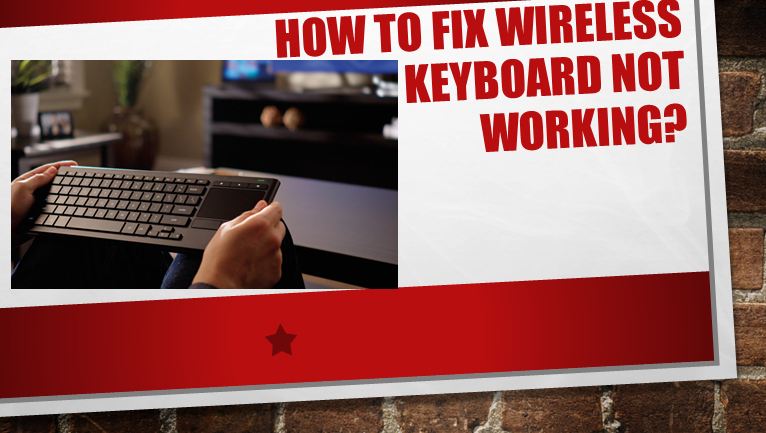
How To Fix Wireless Keyboard Not Working?



Everyone has preferred to have a wireless keyboard for their work or gaming to enhance their experience while doing anything. A wireless keyboard can be quite easy and flexible to use. You can be in any position while working or playing games. You don’t want to deal with wires doing either of that. We know you have a lot about its advantages to being without wire and flexibility, but also there are few disadvantages. There have been a lot of issues reported by the players regarding the issues with its connection to your laptop or computer. So, if you are also using a wireless keyboard, here are some of the issues you should know about.
Unplugged Receiver
Discharged Batteries
Faulty Port
When Drivers are outdated
Corrupted drivers
So, these are some of the issues that you can face while having a wireless keyboard. They are not very serious issues. They can be fixed without breaking a sweat. So here are some of the methods you can try to fix the wireless keyboard not working.
Check Ports
Now before making any harsh decision and replacing your keyboard. You should check your ...
... port once. Sometimes the problem can be in the port also where the keyboard has been plugged. First, you plug the dongle, which allows your computer to communicate with one another. There might be a problem with the receiver during operation. If the port that is plugged in is malfunctioning, the data will not be sent and received correctly. There can also be interference with other devices such as appliances and other electronics near you. You must try to resync your wireless keyboard with the receiver. This is a simple process of connecting two components, just like the first time you tried to pair your keyboard with your computer or laptop.
You should ensure that all the ports are working before making any hard decisions about replacing the keyboard.
Check batteries
As we all know, no wire means they use a battery to work. Sometimes they might die without giving you a warning. Although there’s not a proper way to check batteries, if you bought a keyboard recently, then you just need to make sure all three batteries are there. You should be expecting that your keyboard might stop working if the batteries die, but that’s not the case generally. A low battery can do all sorts of different things to electronic devices. LED indicators might work in some cases, but the rest of the device might fail to work in such conditions.
You can always start checking the power supply. Check to ensure that the batteries are installed correctly and are in their compartments correctly placed if you are trying to install a new set of batteries, it’s always best for you to install lithium-ion batteries for electronics, especially those that have a higher power draw, as wireless keyboards do.
By removing the Unnecessary Interference
There can be many things that can cause interference with your wireless keyboard. Here are some of the things that might cause hindrance:
Your cell phone
Electrical devices
Radios
Wireless routers
By Updating or changing software drivers
As a Windows user, you need to install software components called the drivers which will allow the device interface to communicate properly. These plugs and play devices like keyboards always take these drivers automatically, and that is why you must not be familiar with the whole process of it.
But it can sometimes happen when the operating system will choose and take the wrong drivers, and then it ends up not being compatible with your device. When the system chooses the wrong drivers, it can cause different sorts of issues one including your keyboard not working at all.
When you think the driver is causing your problems, just go to the website of the manufactures. Download the necessary information that is needed. Now, if you have a razer keyboard, just go to their website, and you can download the correct software package.
Testing with another Computer
Now, if you have tried everything on your computer and the keyboard has power, and the receiver seems to work fine. You can just test your setup with another compatible computer. If you do that, you will know the problem if the keyboard is causing the problem or the problem is something else related to software.
Now, if you successfully get the keyboard working on a different computer, then there might be issues with your original one. You might want to get it to check. If it is still not working with a new computer, then you might exchange the keyboard with the new one or seek professional help for the repair.
Conclusion
So, we have provided you with the details of how to fix your wireless keyboard not working. You can just apply these methods, and we know one of these will work for you. Hope you find this useful. Thank you for the read.
Visit: hulu.com/activate
Source: https://selenanormandfreeblogs.wordpress.com/2021/05/25/how-to-fix-wireless-keyboard-not-working/
About Me: Hii I am Angel Smith. my residential spot “North Carolina” United State.I like to mostly write content related to technology-based and including trending news content in the technical field. This is a better site for all technology lovers.
Add Comment
Technology, Gadget and Science Articles
1. Kids Meal Menu Data ScrapingAuthor: Food Data Scrape
2. Ai Hardware Costs In 2026: What's Driving Gpu Prices Up
Author: prateek navani
3. Gen Z Food Trends Data Scraping For Consumer Preferences
Author: Food Data Scrape
4. Web Scraping Douyin Follower Growth And Engagement Data
Author: REAL DATA API
5. Why Can’t I Copy Text From An Image? Here’s The Solution
Author: Saif Ali
6. Booths Data Scraping Api — Real-time Premium Grocery, Local Sourcing & Wine Data
Author: REAL DATA API
7. What Is Erpnext Hosting? Complete Beginner’s Guide
Author: VPS9
8. Abel & Cole Data Scraping Api — Real-time Organic Box, Price & Farm Sourcing Data
Author: REAL DATA API
9. Increase Revenue With Amazon Price Monitoring For Brand Growth
Author: Retail Scrape
10. How Self-service Kiosks Are Transforming Customer Experiences Across Industries
Author: Panashi Technology Solutions
11. How Can Sms Marketing Help Businesses Reduce Customer Acquisition Costs
Author: Gventure Technology
12. Iceland Foods Data Scraping Api — Real-time Frozen Food, Grocery & Delivery Data
Author: REAL DATA API
13. Morrisons Data Scraping Api — Real-time Grocery, Price & Market Street Data
Author: REAL DATA API
14. Why Enseur Stands Out As A Smart Event Management App For Modern Events
Author: Enseur
15. Ocado Retail Data Scraping Api — Real-time Grocery, Price & Delivery Slot Data
Author: REAL DATA API